Offline Reading While Traveling: A Before-You-Leave Checklist
A book that appears in a list is not necessarily ready for an offline trip. The file may still be in a downloads folder, a large PDF may need time to prepare, or the only copy may be trapped on a phone with little storage. The safest time to discover that is at home, not after boarding.
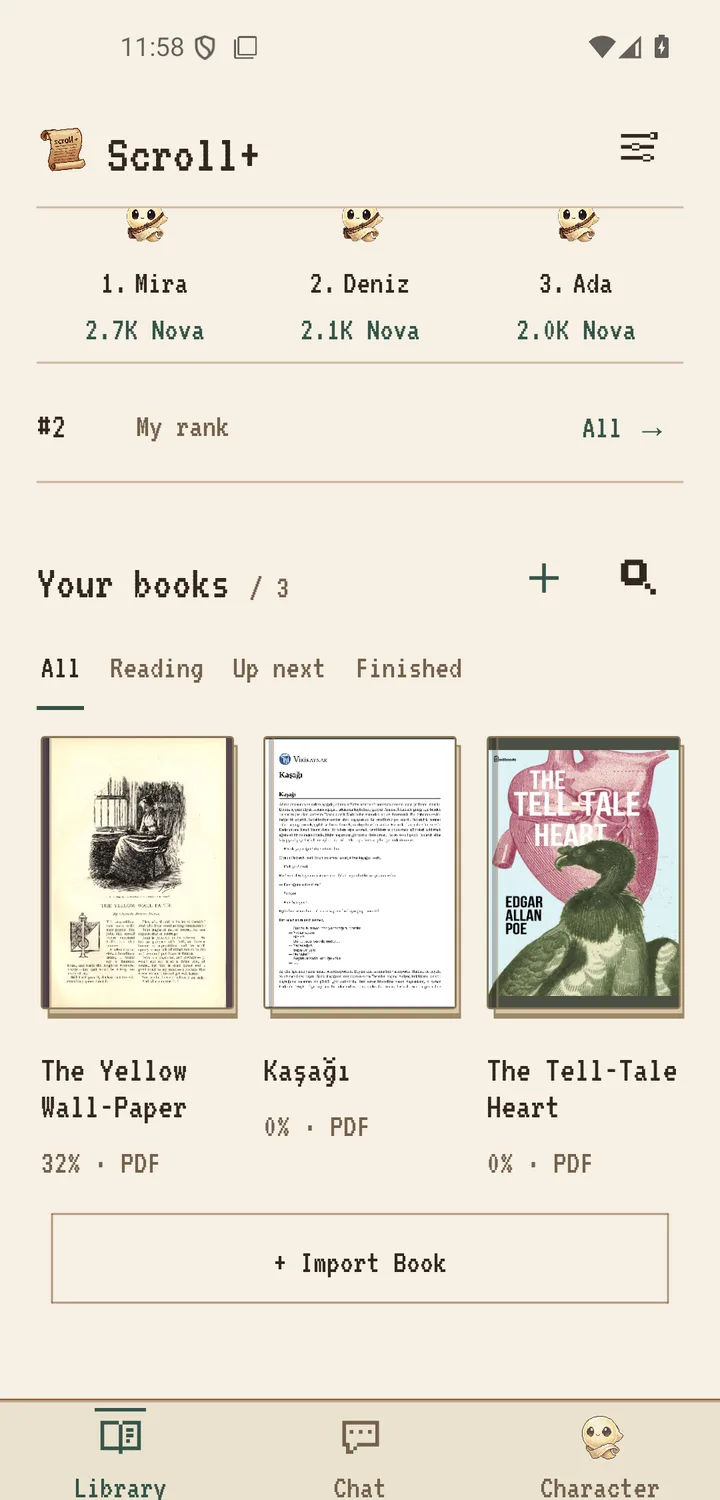
Scroll+ imports PDF and EPUB files into local app storage, and reading plus document processing happen on your Android device. Account and Nova features may need a connection when they synchronize, but your imported books can be read offline. If this is your first import, use the Scroll+ import walkthrough before this checklist.
1. Pick a small trip shelf and the right format
Choose one current book, one backup book, and only the reference documents you expect to use. EPUB usually adapts naturally to a narrow screen. PDF preserves the original page and may be better when exact layout, diagrams, or page numbers matter.
Do not download several versions without deciding which one you will read. Open both formats once, keep the useful version, and remove obvious duplicates. The EPUB versus PDF guide gives a practical format decision before you pack the library.
2. Open every important book before the trip
Open each EPUB, move between chapters, and confirm the title and cover are recognizable. For PDFs, decide between reflowable extracted text and the original page view. Text preparation runs on the phone, so a large or complex file can take longer on a less powerful device.
Do not wait until the airport gate to process a stack of PDFs. Prepare them while you have time and power, then inspect a page from the beginning and another from the middle. Scroll+ 0.9.0 supports a batch extraction queue and scanned-PDF fallback; see the 0.9.0 PDF release note.
3. Run a real airplane-mode test
Turn on airplane mode, fully close Scroll+, reopen it, and open each essential book. Change a chapter or page and return to the library. This short rehearsal verifies the actual travel path instead of assuming that a thumbnail means the file is available.
The reading path should work without a connection. Online account, Nova, streak, and leaderboard updates can wait until connectivity returns. No book file needs to be uploaded for those features. For the exact local-versus-online boundary, read how private offline reading works.
4. Check storage, power, and the original copies
Leave free storage for the operating system and for local PDF preparation. Charge the phone and carry a power source if the travel day is long. Device workload varies by file, so avoid promising yourself that a difficult document will finish processing at a particular speed.
Keep the source PDF and EPUB files in a separate master archive you control. Local app storage protects privacy, but it is still one device: loss, damage, uninstalling, or clearing app data can remove the travel copy. A backup is separate from Scroll+'s offline reading model.
Test the trip shelf, not just the download
A reliable offline library is prepared and rehearsed. Choose a small shelf, open and inspect every file, finish demanding PDF preparation, and prove the path in airplane mode. Then protect the originals elsewhere. Ten minutes before leaving can prevent a trip with a library you cannot actually open.
Related offline-reading reference
- Google Play Help: Google's general Android guide likewise recommends downloading books before offline mobile reading; Scroll+ uses its own local import flow.