EPUB vs PDF for Phone Reading: Choose the Format That Fits the Book
If a book is offered as both EPUB and PDF, the filenames may look like a technical choice. In practice, they create very different reading experiences. EPUB is usually built to reshape itself around your screen. PDF is built to preserve a page. The right format depends on whether you value adaptable text or a fixed visual layout.
1. Why EPUB usually feels natural on a phone
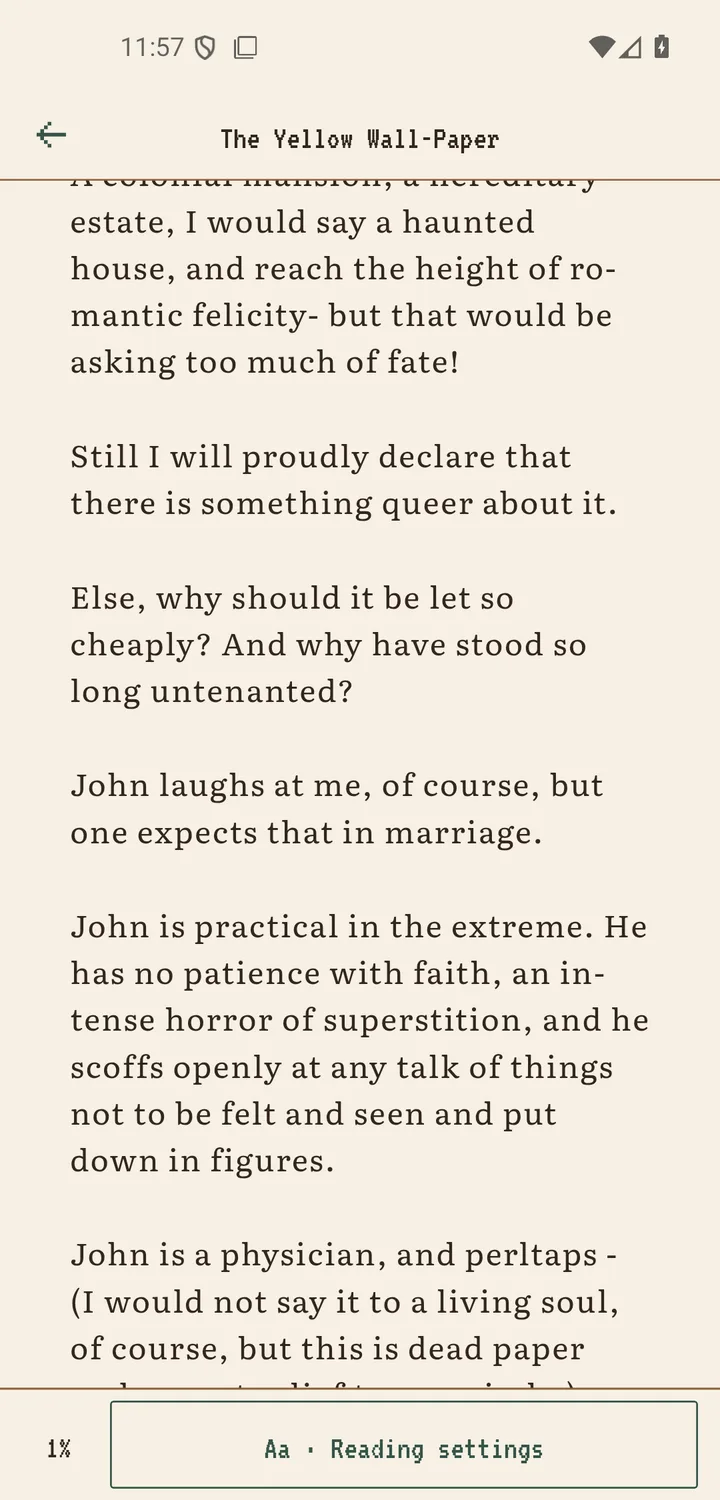
Most EPUB books contain chapters as structured text and HTML rather than a stack of fixed paper-sized pages. The reader can wrap lines for a narrow screen and apply your font and spacing choices. Scroll+ reads the book's chapter order and available metadata on your device, so a well-made EPUB is usually the simplest option for long-form reading.
EPUB is not automatically perfect. Poorly produced books can have missing navigation, broken styles, incorrect metadata, or embedded elements that do not adapt well. Files protected by unsupported digital-rights controls may also fail to import. Keep a legitimate source copy so you can try another edition if the package is malformed.
2. When PDF is the better format
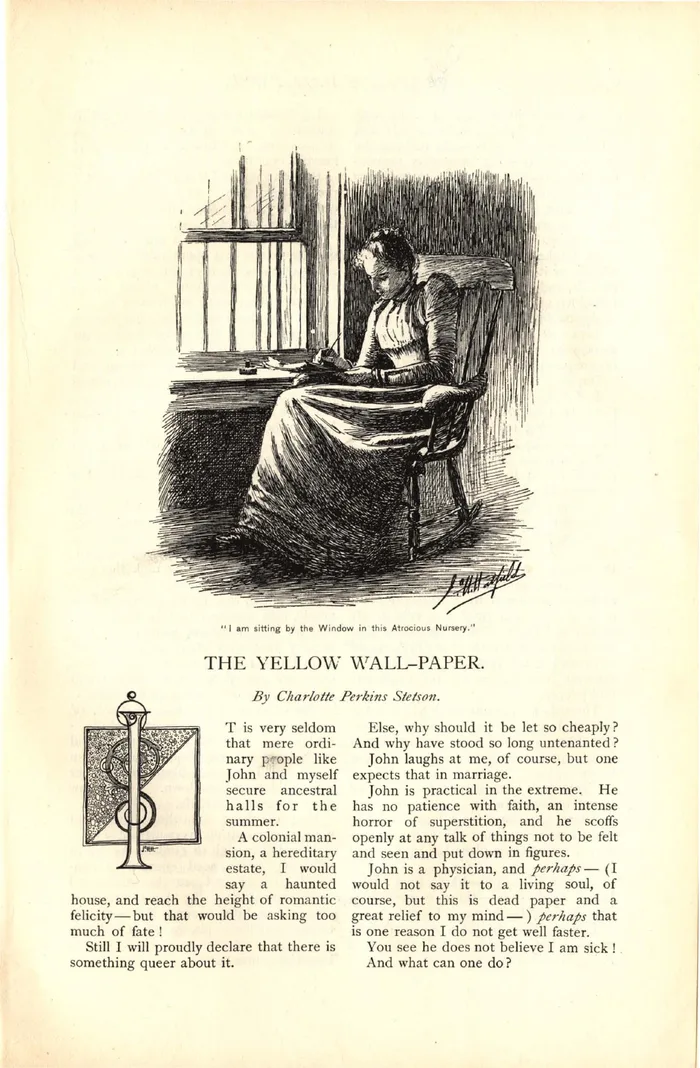
PDF keeps the author's page geometry. That is useful for academic papers, manuals, sheet music, forms, illustrated books, and material where a caption must stay beside an image. It also gives you stable page numbers when a teacher, colleague, or citation refers to a specific page.
The same fixed geometry can make a full page tiny on a phone. Text may require zooming, and a scan may contain no selectable words. Scroll+ offers two PDF paths; compare them in PDF reflow versus original page view before deciding which one fits your document.
3. Choose by use case, not file size
For a novel, essay collection, or biography, prefer EPUB. For a journal article with figures, workbook, application form, comic, or print-ready handout, prefer PDF. For a textbook, inspect the content: a text-heavy edition may be easier as EPUB, while a layout-heavy edition may be safer as PDF. For reference material, consider keeping both when the publisher provides both legally.
Do not convert a file merely to change its extension. A weak conversion can scramble headings, notes, or images. If you only have a PDF, check whether it has a usable text layer with the scanned versus text PDF guide.
4. How Scroll+ handles EPUB and PDF
Both formats are imported from Android's file picker and copied into the app's local library. EPUB chapters are unpacked and prepared on the device. For PDF, you choose between adjustable text and the original pages. This local processing does not send book files to the Scroll+ server; only a PDF you choose to send to optional server processing (membership) is uploaded.
The exact wait depends on the document and your phone. EPUB packages with many assets and PDFs with many dense pages require more local work. Follow the step-by-step Scroll+ import guide and wait for preparation to finish before judging a PDF's text view.
5. Keep the source file outside the reader
Scroll+ is local-first and does not synchronize your books between devices. That means the app is not a cloud backup. Keep the original EPUB or PDF in a location you control, especially before replacing your phone, clearing app data, or testing a converted edition.
Also confirm that you have the right to use the file. Format support does not remove copyright or digital-rights restrictions. A clean, legally obtained source file is more likely to import reliably and is easier to restore later.
A simple rule that covers most books
Choose EPUB when you want the text to adapt to the phone. Choose PDF when you want the phone to show the page as designed. If both matter, keep both formats or use Scroll+'s text and original-page PDF modes for different moments.