Scroll+ vs Moon+ Reader: Ultimate 2026 Comparison
Looking for a new e-book reader in 2026? We compared Scroll+ with popular e-reader apps on the market. Here is how Scroll+ differs from Moon+ Reader, Google Play Books, FBReader, and Aldiko.
1. Gamification & Motivation
Scroll+
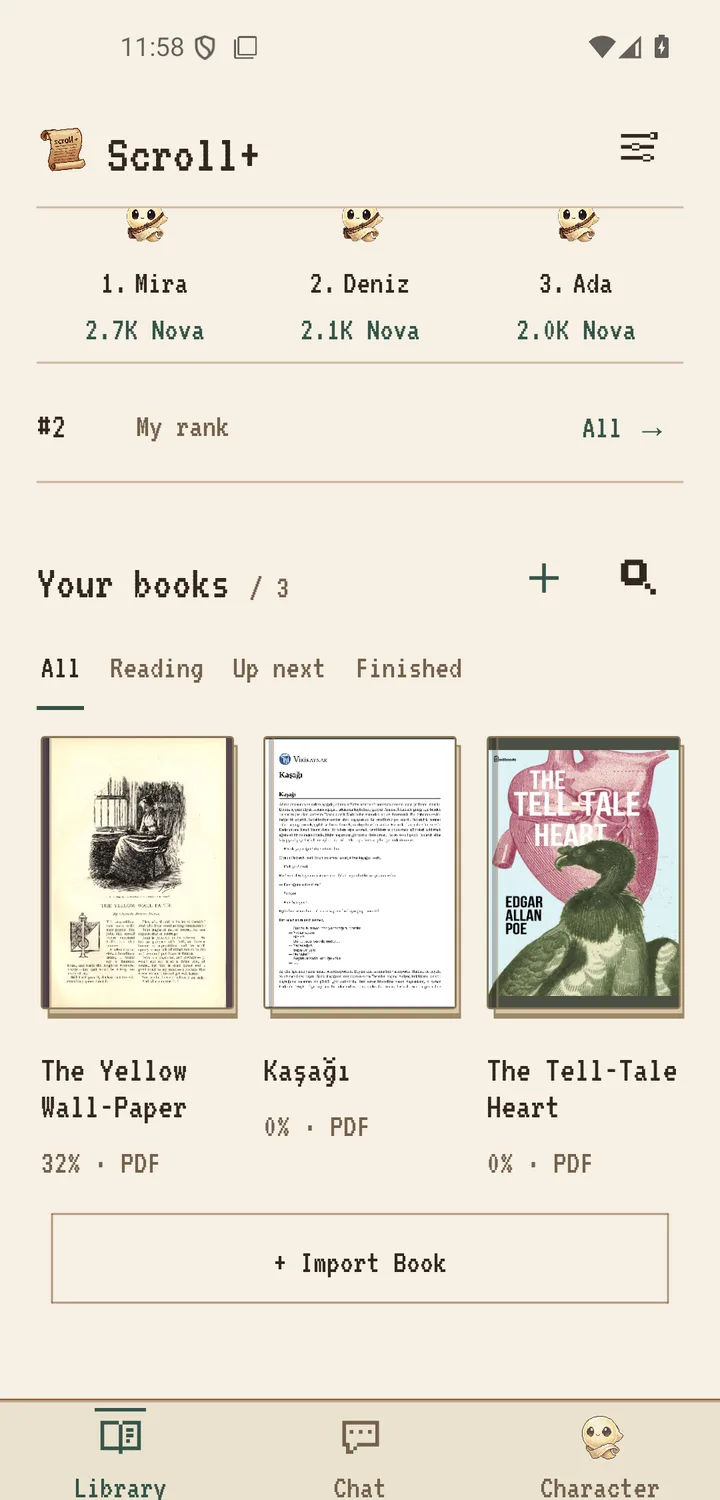
Scroll+ turns reading into a progress-based journey. Earn Nova points as you read, unlock 21 avatar forms from Loomy to Infinitus, collect Latin titles, keep daily streaks for a bonus multiplier of up to 2.5x, spin the daily reward wheel, and compare weekly totals on the leaderboard. Points and streaks are motivation tools; how much they help varies from person to person.
Moon+ Reader
Traditional reading experience without any gamification elements. While functional, it lacks the motivational features that keep readers engaged long-term.
2. Privacy & Data Security
Scroll+
Local-first by design: your book files and on-device PDF/EPUB processing stay on your device. A Google sign-in is required; online features (profile, Nova, streaks, leaderboards, chat) use limited account data. A PDF is uploaded only if you choose optional server processing with a membership. See the Privacy Policy for details.
Moon+ Reader
Stores data locally, which is good for privacy. However, some versions may include ads that could collect usage data.
3. Pricing & Features
Scroll+
Scroll+ is free to download. The current Google Play listing marks the app as containing ads and in-app purchases; availability can differ by version and region. Core reading — import, EPUB and PDF viewing, offline library — is not behind a subscription.
Moon+ Reader
Free version with ads and limited features. Pro version costs $4.99 to remove ads and unlock premium features like text-to-speech and cloud sync.
4. Eye Comfort Modes
Scroll+
Four optional display presets: Soft Light (4000K), Warm Amber (2700K for warm night tones), Parchment (paper-like palette), and an E-Ink-style appearance. These are comfort preferences you can tune — not medical treatment and not a guarantee against eye strain or sleep effects.
Moon+ Reader
Basic brightness and color temperature controls. Functional but lacks research-backed presets optimized for different lighting conditions and reading durations.
5. PDF Processing & Format Support
Scroll+
PDFs with a usable text layer can be prepared as reflowable text on your device; scanned or complex PDFs may open in the original page view instead. Members can also send a PDF to server processing. Scroll+ currently supports EPUB and PDF, with more formats under consideration.
Moon+ Reader
Supports multiple formats including EPUB, PDF, MOBI, CHM out of the box. Standard PDF rendering without specialized reflow optimization.
Feature Comparison
| Feature | Scroll+ | Moon+ Reader | Google Play Books | FBReader | Aldiko |
|---|---|---|---|---|---|
| Price | Free download* | Free + $4.99 | Free (purchase) | Free + Premium | Free + $4.99 |
| Gamification | Full RPG System | None | None | None | None |
| Privacy | Local-First | Local | Cloud-Based | Local | Local |
| Eye Modes | 4 display presets | Basic | Basic | Basic | Basic |
| E-Ink Simulation | Yes | No | No | No | No |
| PDF Reflow Engine | Special Architecture | Standard | Standard | Standard | Standard |
| Ads | Per Play listing | Free version has | None | Free version has | Free version has |
*The Google Play listing currently marks Scroll+ as containing ads and in-app purchases. Competitor details reflect publicly listed information at the time of writing and may change.
Conclusion: Why Choose Scroll+?
Moon+ Reader and the other established e-readers are solid apps, and the right choice depends on what you want. Scroll+ is the option that adds gamified progression on top of reading: local-first file handling, offline EPUB and PDF support, and display comfort settings you can tune. If motivation systems help you read more, it is worth a try.