Top 5 Free Kindle App Alternatives for Android in 2026
The Amazon Kindle app is popular, but it's heavily tied to the Amazon ecosystem and lacks many advanced customization features readers crave. Whether you want better privacy, an ad-free experience, gamified reading, or just more control over your fonts and themes, there are fantastic free alternatives available.
If you have your own EPUB or PDF collection and want to break free from the Kindle walled garden, here are the top 5 free Kindle app alternatives for Android in 2026.
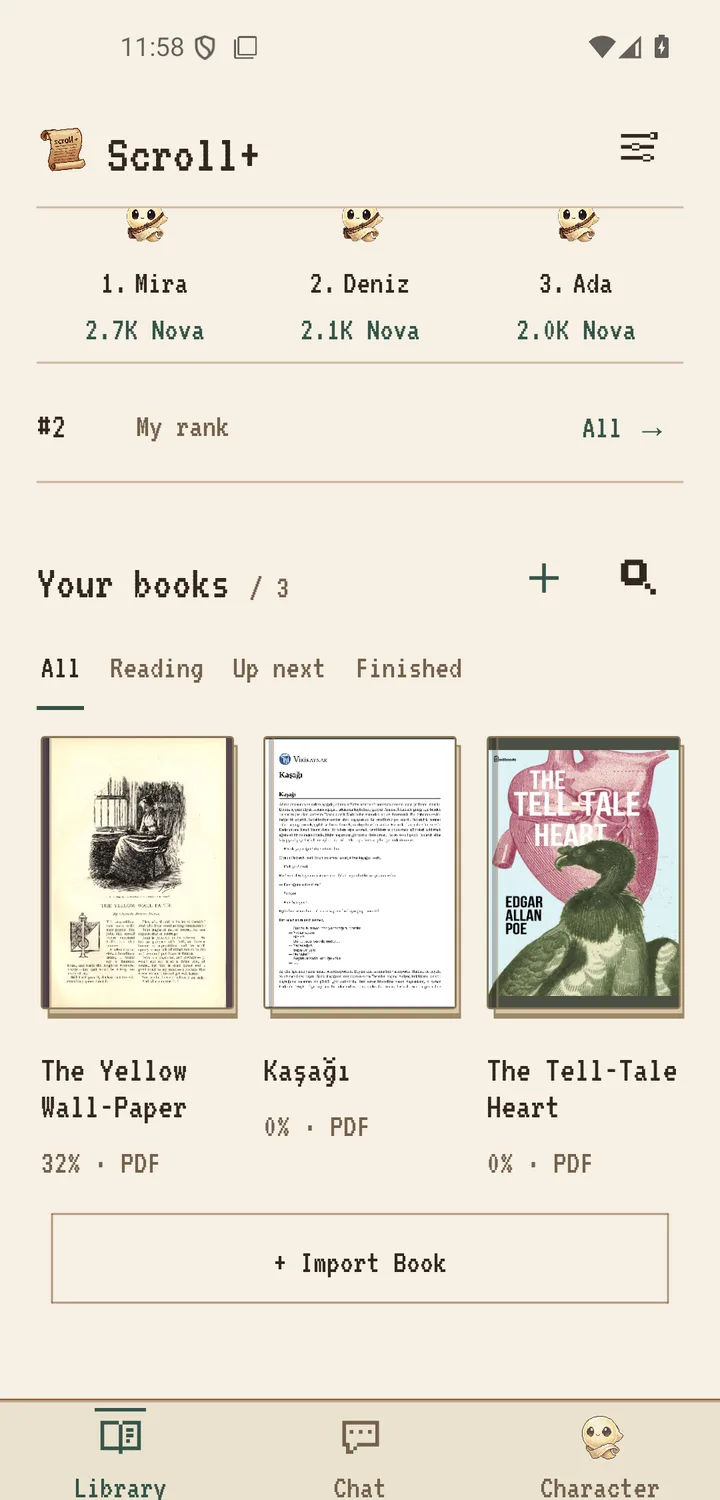
1Scroll+ | Gamified Reading App
Scroll+ takes a different approach to e-reading by turning your reading habit into a progress-based journey: Nova points, 21 evolving Loomy mascots, and daily streaks keep some readers coming back. Beyond gamification, it prepares PDFs with a usable text layer as reflowable text, offers optional eye-comfort display modes (including an E-Ink-style appearance), and processes book files locally on your device. It is free to download; the current Play listing marks it as containing ads and in-app purchases, and online features (profile, leaderboards) use a Google account.
- Turns reading into a rewarding, game-like progression
- Free download; reading works offline and without a subscription
- E-Ink-style display mode and adjustable comfort settings
- Local book files stay on your device; server PDF processing is opt-in
- Play listing currently marks ads and in-app purchases
- No built-in cloud sync for cross-device reading position (yet)
- Google Sign-In is required to use the app
2Moon+ Reader
Moon+ Reader is a legend in the Android e-reader space, known for its astonishing level of customization. You can tweak almost every visual aspect of your reading experience, from margins to line spacing to custom background images. It supports a massive range of formats including EPUB, PDF, and MOBI, and includes gesture controls for brightness and scrolling.
- Unmatched customization options for visual settings
- Supports almost every e-book format imaginable
- Dropbox/Google Drive sync for reading progress
- The free version contains banner ads
- The interface can feel overwhelming due to too many options
- Some advanced features (like PDF support) are locked behind the $4.99 Pro version
3ReadEra
ReadEra is beloved for what it lacks: ads and registration requirements. It's a remarkably clean, fast, and straightforward e-reader that simply opens your books and lets you read. It excels at automatically detecting documents on your device and organizing them into clean, manageable lists.
- Completely free and ad-free
- No registration or accounts required
- Excellent automatic library scanning and organization
- Lacks cloud synchronization in the free version
- Customization options are somewhat basic compared to others
- Premium version (ReadEra Premium) is required for some advanced features
4Librera Reader
Librera Reader is a powerful, lightweight, and open-source alternative. Being open-source, it focuses heavily on user freedom and privacy. It includes an excellent Text-to-Speech (TTS) engine, making it a great choice for turning ebooks into audiobooks on the fly. It's highly versatile and works exceptionally well on older Android devices.
- Open-source and highly privacy-respecting
- Built-in Text-To-Speech (TTS) capabilities
- Very lightweight, great for older or low-spec devices
- The UI feels a bit dated and less polished
- Organizing large libraries can be clunky
- Takes some time to configure settings optimally
5Google Play Books
Google Play Books is the closest direct competitor to Kindle's ecosystem approach. While it has its own massive bookstore, it distinctly allows users to upload their own EPUB and PDF files directly to Google's cloud for free (up to 1,000 files). This means your books and reading progress automatically sync across all your devices, including the web.
- Flawless cross-device cloud synchronization via Google account
- Can upload your own EPUB/PDF files to their cloud
- Clean, modern, and familiar Google interface
- Tied heavily to the Google ecosystem
- Very limited customization for reading modes and fonts
- App size is quite large compared to lightweight alternatives
Which Alternative Should You Choose?
If you want a massive feature set and don't mind paying (or dealing with ads), Moon+ Reader remains a strong choice. If you want absolute minimalism, go with ReadEra.
However, if you struggle to keep a daily reading habit and like seeing your progress, Scroll+ is worth trying. It rewards reading time with Nova, keeps your local books on your device and offers comfortable display settings. The free version shows ads; one-time ad-free access and memberships are optional.
App details reflect publicly listed information at the time of writing and may change.